Answers first. Traces when you want them.
FriskAI profiles every agent: what people ask it to do, which tools it leans on, how that’s changing and where it goes wrong. Every answer links back to the real sessions, all built from the telemetry your agents already send.
Findings
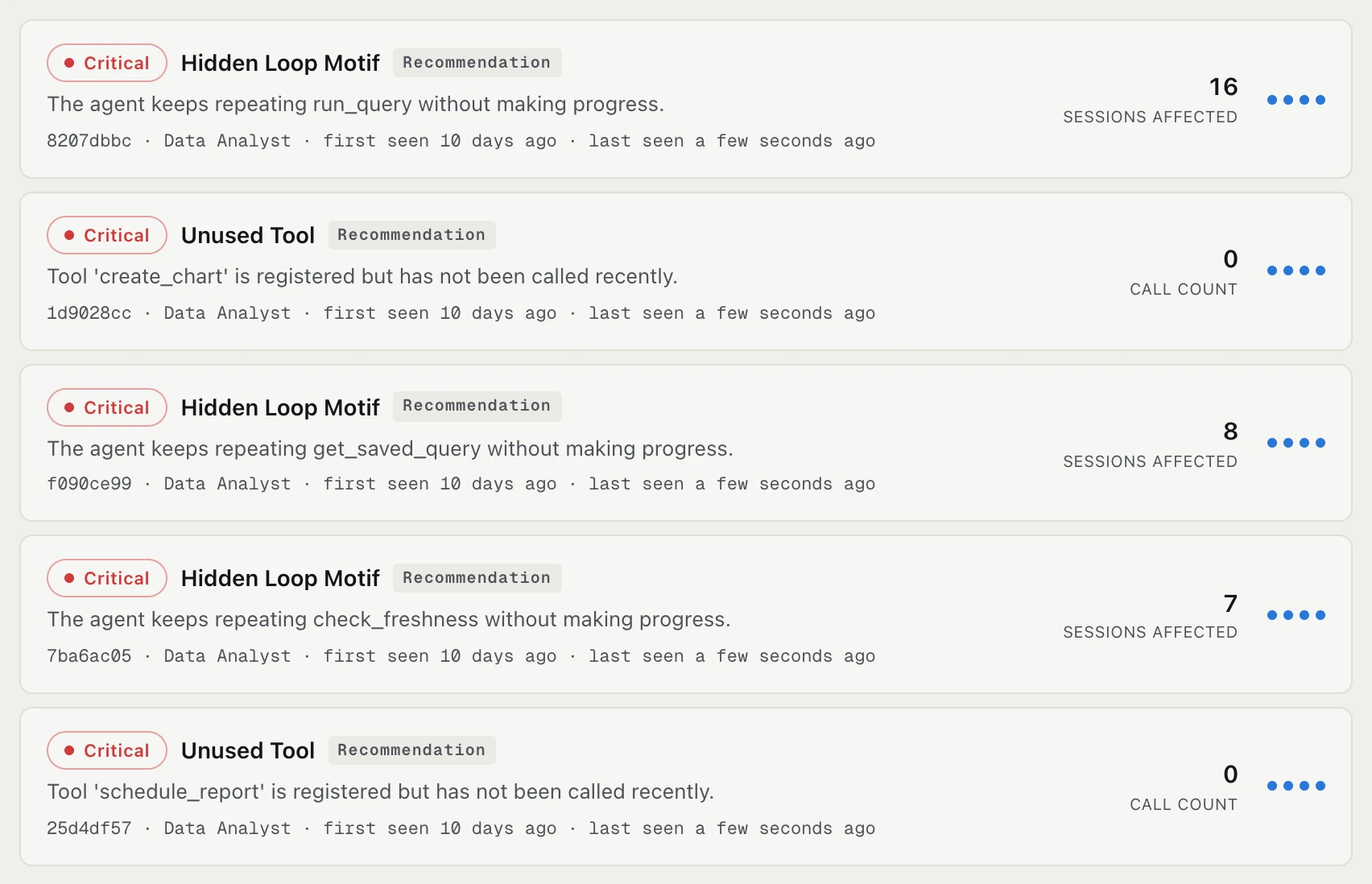
This is where you start the day. When something goes wrong, a detector opens a finding, and every repeat of the same problem lands on that one finding instead of a pile of alerts. The dots show how far it’s got, from what happened to what to change.
- Give each finding an owner and a status, from pending to expected
- Jump from any finding to the sessions behind it
- Every answer shows how much evidence it rests on, and fixes get checked after you ship them
- Send each finding to Slack, email, a webhook or PagerDuty, once per problem
- If an agent stops reporting, we mark it stale so a dead feed doesn’t pass for a calm week
Findings also carry what they cost. We keep list prices current, you add your negotiated rates and a budget, and the numbers match your bill.
Sessions
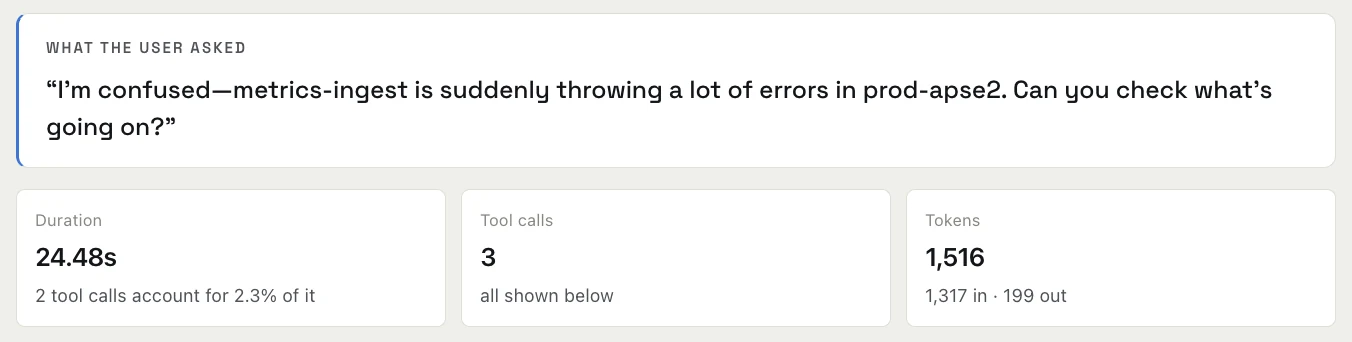
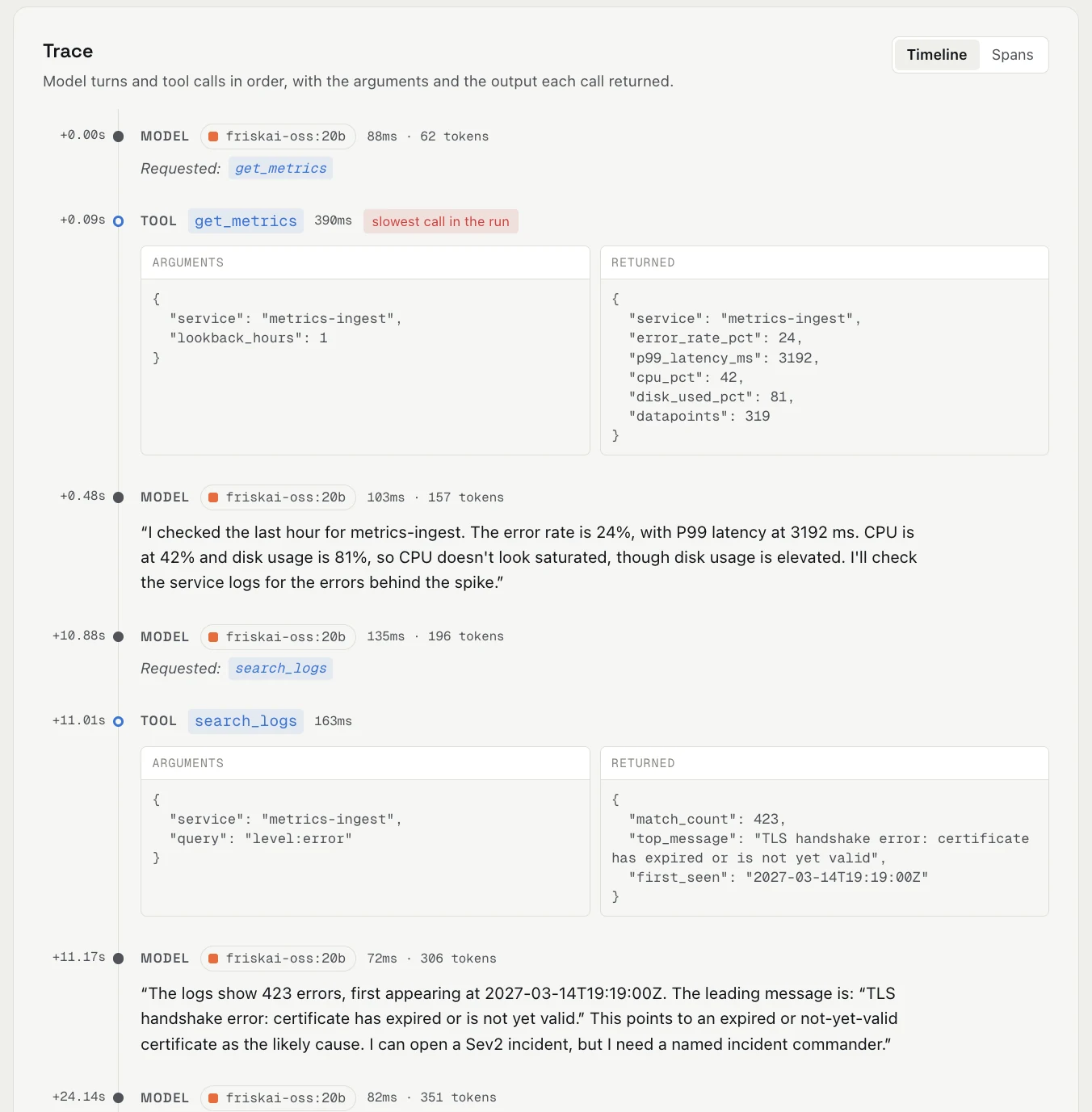
Every agent run, newest first, with how it ended. Open one and you see what the user asked, then each model turn and tool call in order, with the arguments that went in and what came back.
Analyze
Three views of the same sessions: what people ask your agents to do, the tools they call and the paths they take through them.
Behavior
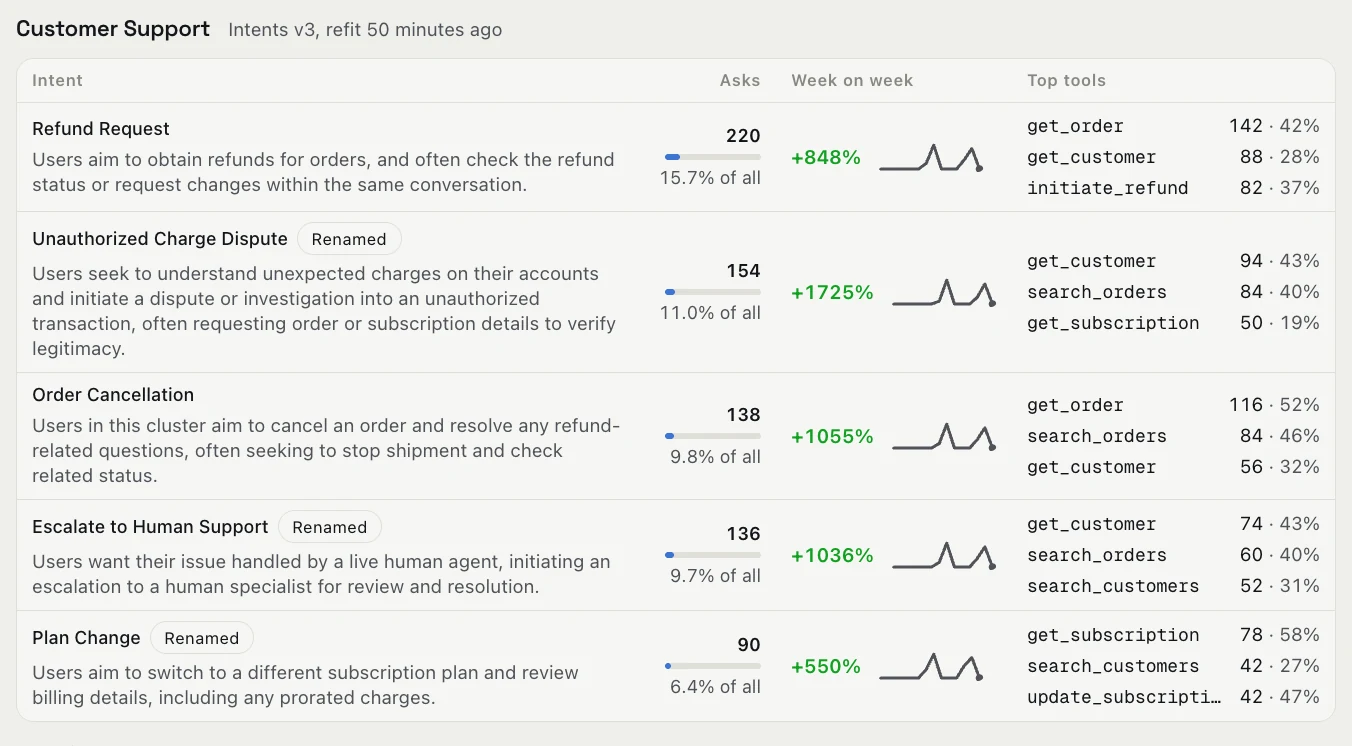
What people ask each agent to do, grouped into intents we find in that agent’s own sessions. You can see which requests are growing week on week and which tools each one leans on, then open an intent to read the real conversations.
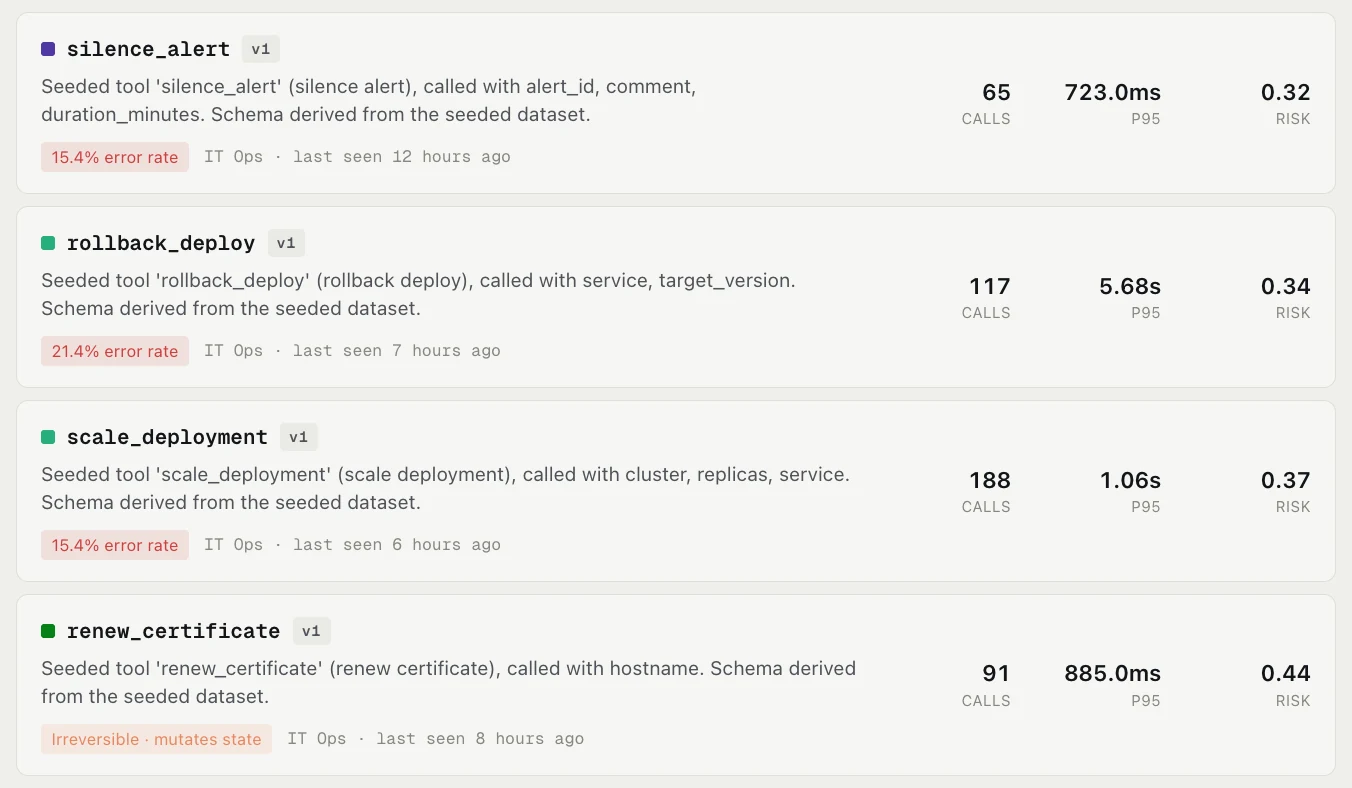
Tools
Every tool your agents call, built from the calls themselves, so you don’t have to keep a list. Each one shows how often it’s called, how slow it gets and how often it fails. Tools that change something in the real world are marked irreversible and scored for risk.
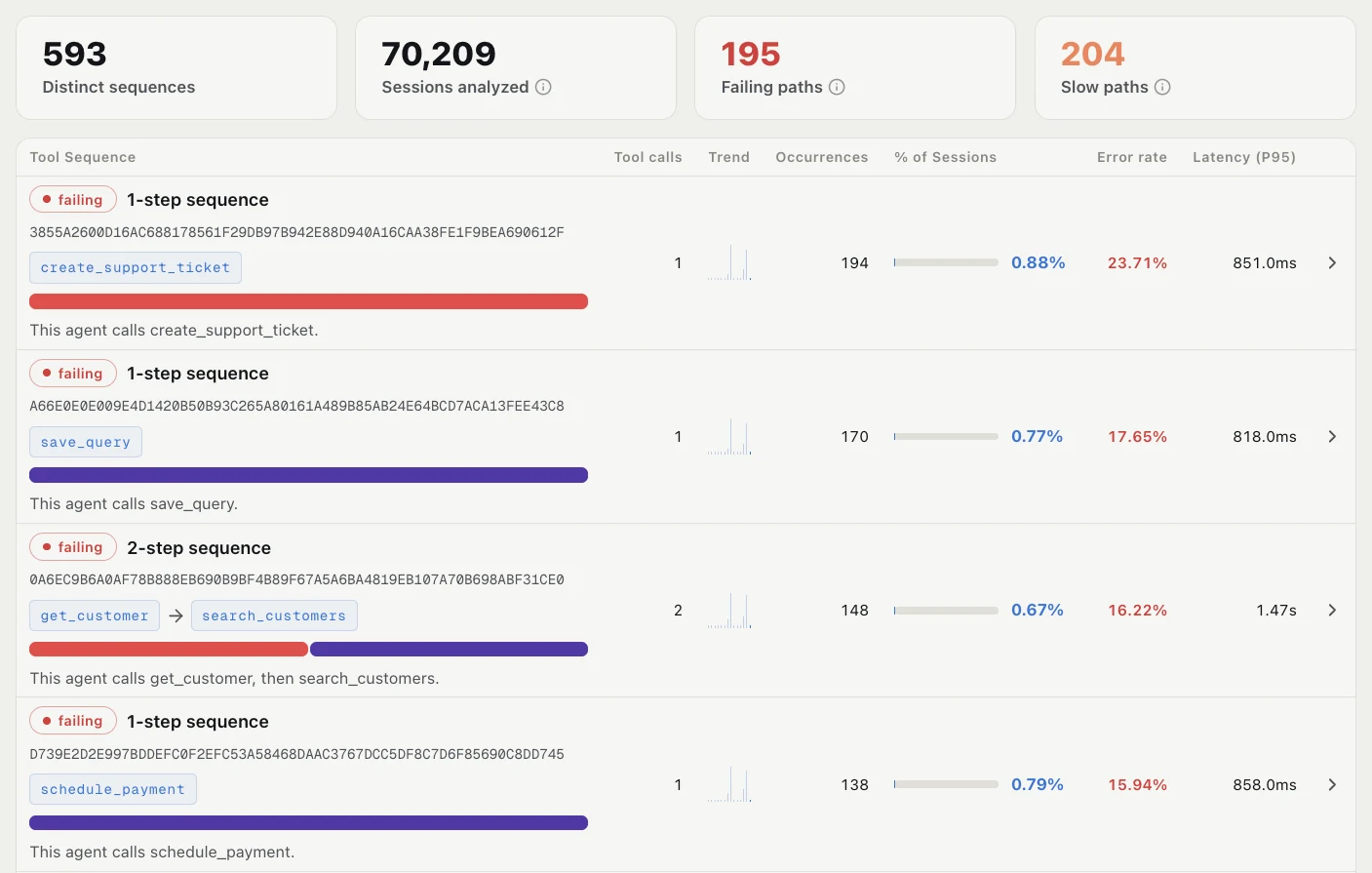
Sequences
The different paths your agents take through their tools, and how common each one is. The paths that fail or run slow are sorted to the top, so you can see which routes are costing you.
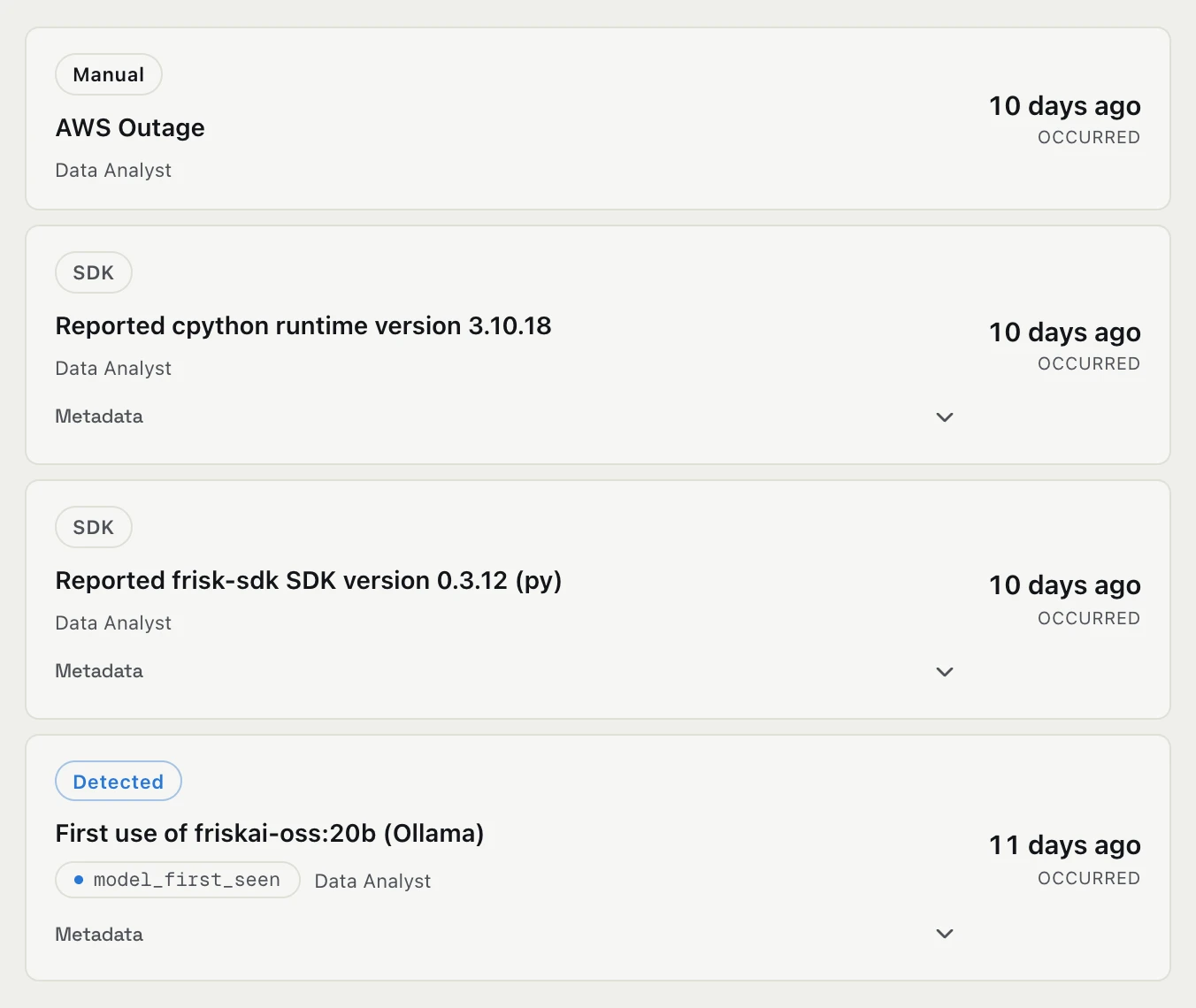
Changes
A running log of what changed in your agents. We pick up SDK and runtime upgrades and new models automatically, and your team can add deploys and prompt changes, by hand or from CI. When a finding opens, the changes just before it are listed right there.
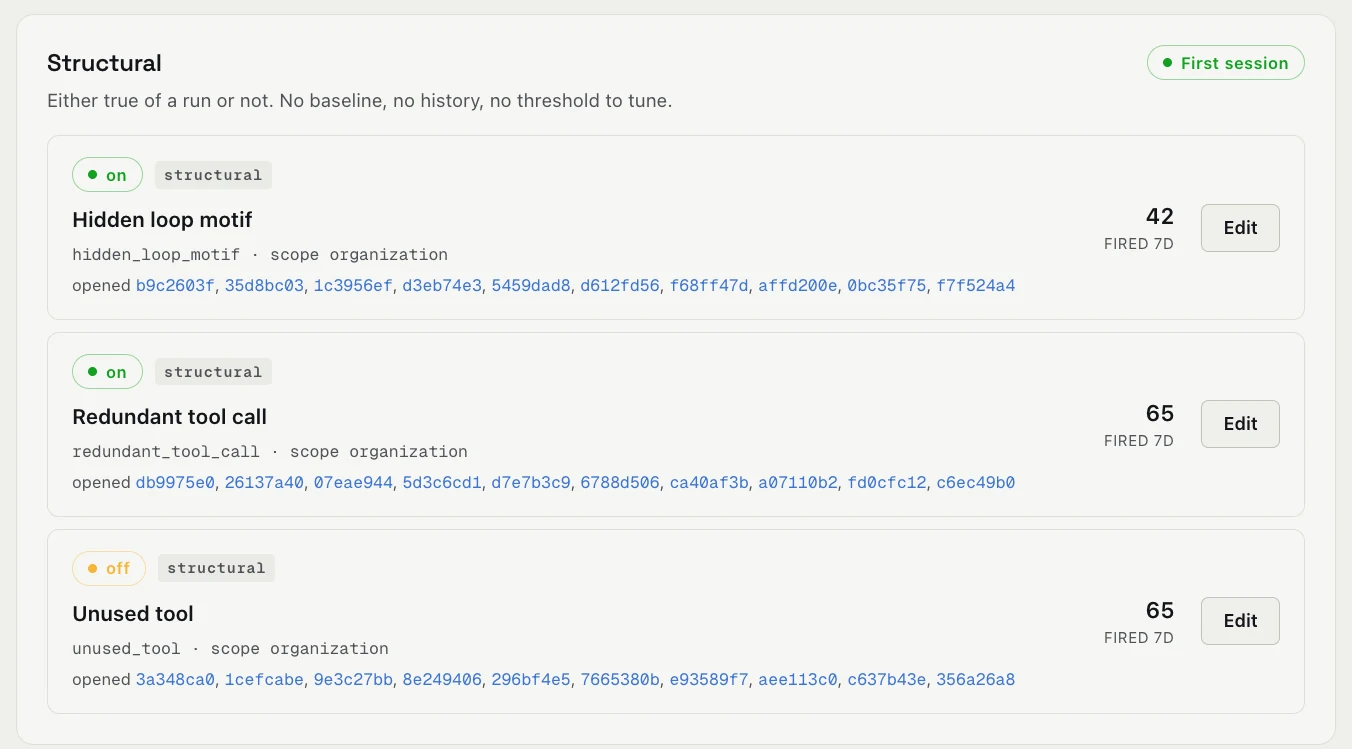
Detectors
The checks that open findings. You can scope, tune or switch them off at any time.
- Structural checks work from the first session: hidden loops, repeated tool calls and tools nobody calls
- Novelty checks fire when something new shows up, like a tool called for the first time in a week or an error you haven’t seen before
- Threshold checks compare each tool against its own recent history: error rate, call volume, latency and unusually large arguments
See these screens with your own agents
Start free and connect an agent yourself, or book a demo and we’ll walk through what we find in yours.